


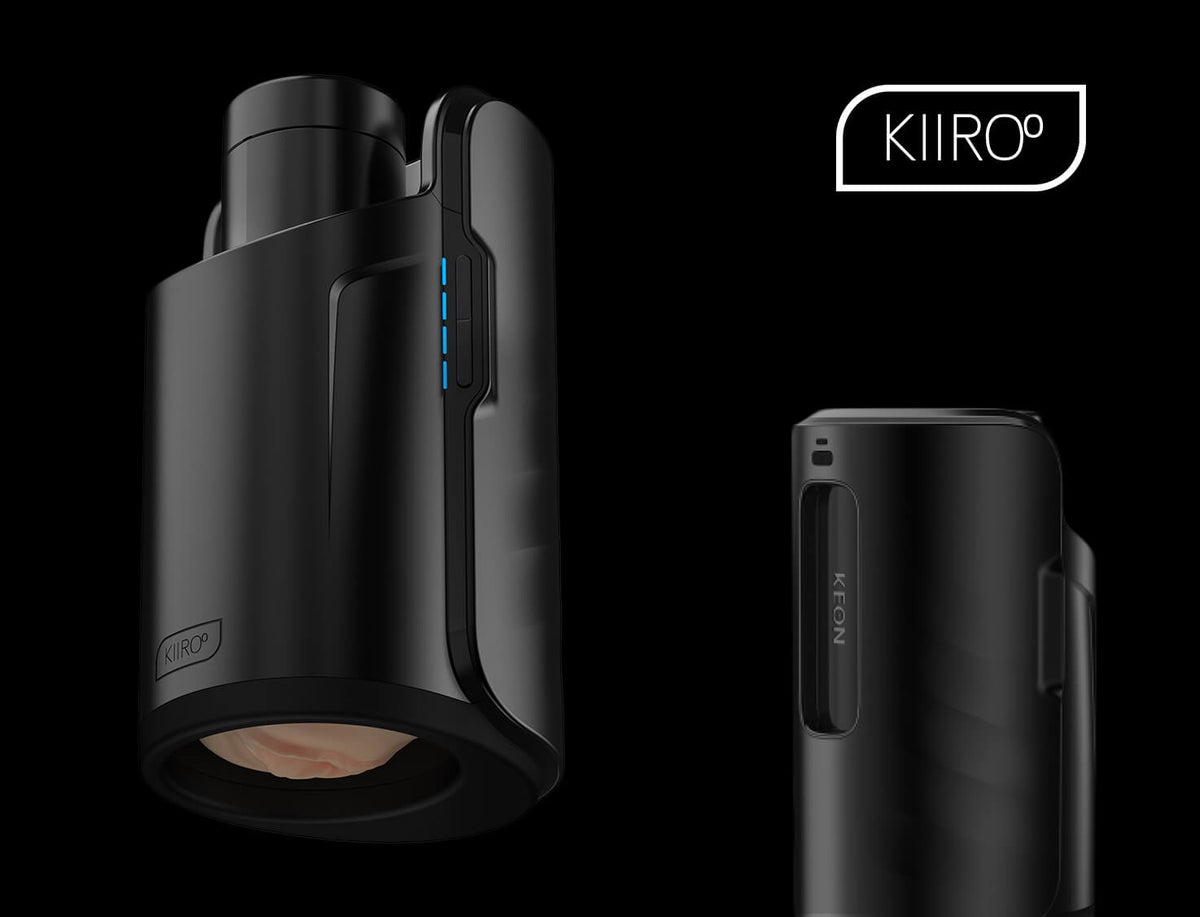
The Keon is Kiiroo's flagship automatic masturbator, designed to bring high-performance, hands-free automation to male sex tech. Whether you are holding your device for the first time or evaluating an upgrade, knowing how to use Kiiroo Keon properly ensures you get the most out of its motors, app features, and sleeve options.
This comprehensive guide covers setup, sleeve mounting, interactive app sync, and daily maintenance. Instructions apply to both the original Keon 1 and the next-generation Keon 2, with clear callouts whenever hardware features or controls differ between models.
What Is the Keon?
The Keon is Kiiroo's flagship automatic male masturbator, the device that put hands-free sex tech on the map. Instead of you doing the work, the Keon does it for you: slide on a sleeve, hit play, and its motor strokes at whatever speed and rhythm you choose. No manual effort, no guesswork.
It's built to connect, not just to move. Through the FeelConnect app, the Keon syncs to interactive videos, VR content, and even a partner's device from anywhere in the world, turning solo sessions or long-distance play into something that actually responds to what's happening on screen or on the other end of the connection.
And because we designed it as a modular system, you're never stuck with stroking alone: add PowerBlow for suction or PowerShot for vibration, and build the experience up from a simple starting point to a full setup.
Keon 1 vs Keon 2: The Differences at a Glance
Both Keon models are automatic masturbators that connect to FeelConnect. Keon 2 is the redesigned second generation with faster motion, longer strokes, more modes, and wider sleeve compatibility. If you are comparing both options, understanding how to use Kiiroo Keon hardware differences can help you decide which model suits your setup.
|
Feature |
Keon 1 |
Keon 2 |
|
Stroke length |
70 mm |
95 mm (+36%) |
|
Top speed |
259 mm/sec |
436.2 mm/s |
|
Minimum speed |
Higher floor |
20.77 mm/s (slower, controlled) |
|
Operational modes |
3 (Manual, Interactive, App) |
8, including new Finisher Mode + Custom Mode |
|
Charging |
~4 hours via micro USB |
~90 minutes via USB-C PD |
|
Battery life |
30 min - 2 hours |
Up to 3 hours |
|
Wall power |
No |
Yes (100W USB-C PD passthrough) |
|
Thermal protection |
No |
Auto-protect above 85°C |
|
Connectivity |
Bluetooth & WiFi |
Bluetooth & Wifi (WebSocket-native) |
|
Buttons |
Rear-stacked |
6 front-facing (power, mode, speed, stroke length) |
|
Weight |
1.1kg |
996g (-10%) |
|
Sleeve compatibility |
Feel Stroker (Kiiroo casing) |
Detachable cradle: Kiiroo strokers; Fleshlight, Doc Johnson and other third-party sleeves with the Keon 2 Universal Fit |
|
FeelMe AI trial |
1 month free |
1 month free |
The Feel Stroker and Sleeve Options
Kiiroo offers modular sleeve choices depending on the texture profile and model you choose. Knowing how to use Kiiroo Keon sleeves correctly ensures proper fit and longevity.
-
Feel Stroker: Kiiroo's default sleeve. Molded from body-safe TPE (thermoplastic elastomer), it features a rigid hard-shell casing that can also be used standalone without the Keon base unit.
-
FeelStars collection: Features the same outer hard casing as the standard Feel Stroker, but with interior canal structures molded directly from popular adult performers.
-
Full Stroker Range: Want more variety than the default Feel Stroker or FeelStars? Kiiroo's full stroker collection covers mouth strokers, stamina strokers, and other formats and textures.
Important: TPE sleeves require a high-quality water-based lube. Silicone or oil-based lubricants will degrade the material surface over time.
How to Attach Sleeves
-
Attaching to Keon 1: Insert the Feel Stroker casing through the bottom opening of the Keon. Reach from the top with your opposite hand, pull upward gently, and twist clockwise until you hear a firm click. The Feel Stroker also works standalone. To use a different sleeve with Keon 1, the Keon Compatible Stroker Case bridges to Fleshlight-sized third-party sleeves.
-
Attaching to Keon 2: Keon 2 features a redesigned detachable cradle. Kiiroo strokers drop directly into the housing. For third-party sleeves from Fleshlight, Doc Johnson and other standard-sized brands, use the Keon 2 Universal Fit, a strap that goes around the sleeve, no case needed.
Getting Started: Charging and Pairing with FeelConnect
Follow these setup steps before learning how to use the Keon for your first session:
-
Charge fully:
-
Keon 1: Connect the included micro USB cable. Full charging takes up to 4 hours, providing 30 minutes to 2 hours of runtime.
-
Keon 2: Connect via USB-C PD for a full charge in roughly 90 minutes (up to 3 hours battery life). Alternatively, plug directly into a 100W USB-C PD wall adapter for continuous, unlimited power.
-
Power on the device:
-
Keon 1: Press the power button. The device boots into Interactive Mode by default (indicated by a blinking blue LED searching for a Bluetooth signal).
-
Keon 2: Hold power on the 6 front-facing button panel. Use the thumb pad to navigate speed, stroke length, and mode options.
-
App pairing: Download the FeelConnect app (free on iOS and Android). Ensure you update to the newest version, as older software builds will fail to communicate with Keon hardware. Open the app, select "Add Device," pick your model from the list, and confirm the Bluetooth pairing request.
-
Registration: Register your device in app to activate warranty coverage and push firmware updates.
Manual Mode vs Interactive Mode
Keon 1 has three modes: Manual, Interactive, and app-controlled. Keon 2 has eight modes total, including new Finisher Mode and Custom Mode. This section covers the two core modes both share: Manual and Interactive.
-
Manual Mode
Manual mode runs the device hardware directly via physical buttons without requiring an active smartphone or Wi-Fi connection.
-
Keon 1: Hold the Mode button located on the underside near the charging port. The LED switches to solid white. Use the left buttons to adjust stroke length and right buttons to adjust speed. Press power once to pause (blinking purple LED), and press again to resume.
-
Keon 2: Use the front-facing control pad to select Manual mode and instantly adjust stroke length, speed, or activate Finisher Mode (which instantly ramps speed to maximum or minimum with a single button press).
Manual mode is ideal for exploring how to use the Keon offline when you want a quick session, a first-time warm-up, or simple travel control without app setup.
-
Interactive Mode
Interactive mode connects your device to digital content streams via Bluetooth or Wi-Fi:
-
Interactive Content: Sync stroke motion frame-by-frame with supported video platforms like SLR Interactive and Pornhub Interactive.
-
VR: Connect through FeelConnect to supported virtual reality headsets for synchronized 3D sessions.
-
Long distance partner play: Hand over control remotely to a partner anywhere in the world using FeelConnect.
-
FeelMe AI: For non-interactive or local video files, Kiiroo's AI engine analyzes visual movement in real time and translates it into physical stroking patterns on your Keon.
Going Hands-Free with Keon Accessories
Using your hands to hold the main unit is optional. Knowing how to use the Keon hands-free with the Keon Accessories collection provides several mounting configurations:
-
Keon Table Clamp: Mounts the device firmly to desk edges or bedframes, holding the unit steady during VR or interactive media sessions.
-
Keon Neck Strap: Suspends the unit around the torso for hands-free standing or reclining angles.
Build a Modular Setup: Add PowerBlow and PowerShot
The Keon isn't limited to stroking on its own. It's the base of a modular system, so once you've got the hang of how to use the Keon, you can layer on more sensation.
-
Add PowerBlow on top of your sleeve for automated suction, alongside the Keon's stroking motion. It screws directly onto a Feel Stroker or FeelStars sleeve, so you can also run it on its own with a mouth stroker for a hands-free oral sensation.
-
Add PowerShot for dual-motor vibration layered into the same setup; it needs the PowerShot Compatible Stroker Case to lock into the stack, since it doesn't attach directly like PowerBlow.
Mix and match based on what you want to feel: stroking alone with the Keon, suction with PowerBlow, vibration with PowerShot, or all three stacked together for a full sensation setup.
Cleaning and Maintenance
Proper sex toy hygiene and cleaning are essential to extend the lifespan of your device and ensure a safe, body-friendly experience every time. Learning how to use Kiiroo Keon accessories and maintaining proper care guarantees optimal performance:
-
Remove the Feel Stroker casing from your Keon unit (Keon 1) or release the sleeve from the detachable cradle (Keon 2).
-
Slide the soft TPE inner sleeve out of its rigid plastic outer casing.
-
Rinse the sleeve thoroughly under warm running water using Kiiroo Toy Cleaner or a mild antibacterial soap. Never use alcohol, petrol, acetone, or harsh detergents.
-
Wipe down the plastic outer casing and the exterior of the Keon unit using antibacterial wipes or a damp cloth. Never submerge the motor housing in water.
-
Allow the sleeve to air-dry completely on a clean towel.
-
Dust the dry sleeve inside and out with FeelNew Refreshing Powder to maintain its velvety texture and prevent stickiness.
For more details on maintaining your gear, explore our full guide on how to clean sex toys and browse the lube & after-care section.

How to Simulate a Blowjob: Realistic Techniques and Toy Tips
Is Masturbating Self Care?